
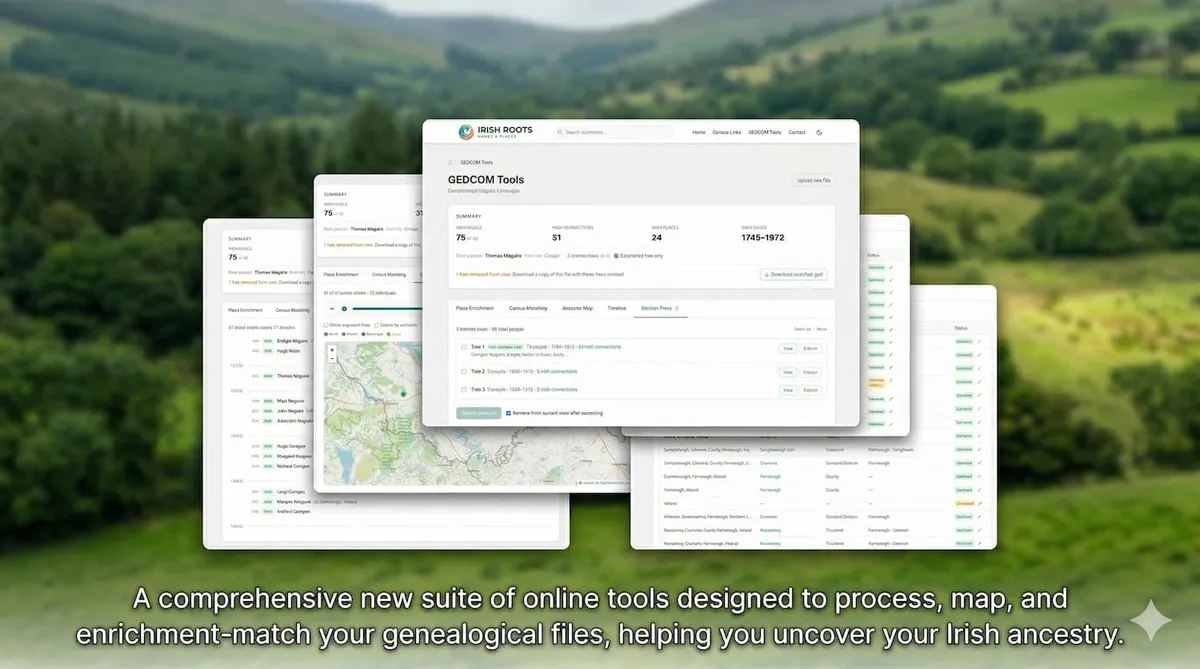
Your family tree file contains decades of research — births, deaths, marriages, emigrations, and the places that connect them all. But unlocking the Irish dimension of that data has always required manual cross-referencing across multiple websites and archives. Today we are changing that.
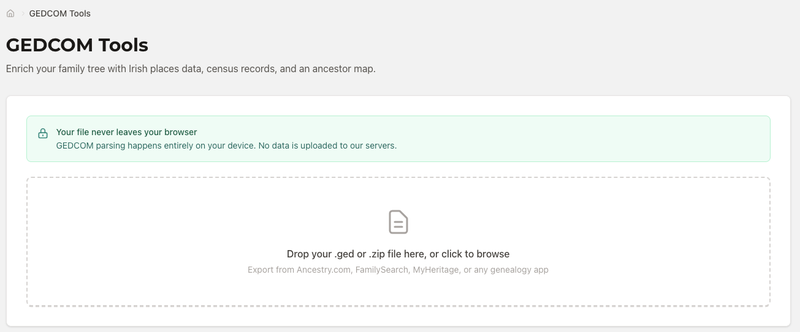
We are delighted to introduce the Irish Roots GEDCOM Tools Suite — a free, browser-based set of tools that takes your GEDCOM file and enriches it with Irish places data, census links, an interactive ancestor map, and a chronological timeline. Critically, your file never leaves your browser. All processing happens on your device. Nothing is uploaded to our servers.
You can try the tools at app.irishroots.ie/gedcom-tools. Simply upload your .ged or .zip file and the suite opens instantly.
Place Enrichment — Matching Your Ancestors to Irish Townlands
GEDCOM files store place names as free-text strings — whatever the researcher typed at the time. "Roscommon, Ireland", "Co. Mayo", "Kilmactranny, Sligo" — the formats vary wildly, and none of them link directly to a structured geographic record. The Place Enrichment tab changes that.
The tool scans every place string in your file and searches our database of over 60,000 Irish townlands, civil parishes, electoral divisions, baronies, and counties. For each match it finds, it returns a confirmed result with a link to the full place record on Irish Roots — giving you coordinates, the administrative hierarchy, the Irish-language name, and a Logainm reference.
Unmatched places are listed separately so you can review and manually link them if needed. The process runs automatically when you click Run Enrichment, and results update in real time as each place is resolved.
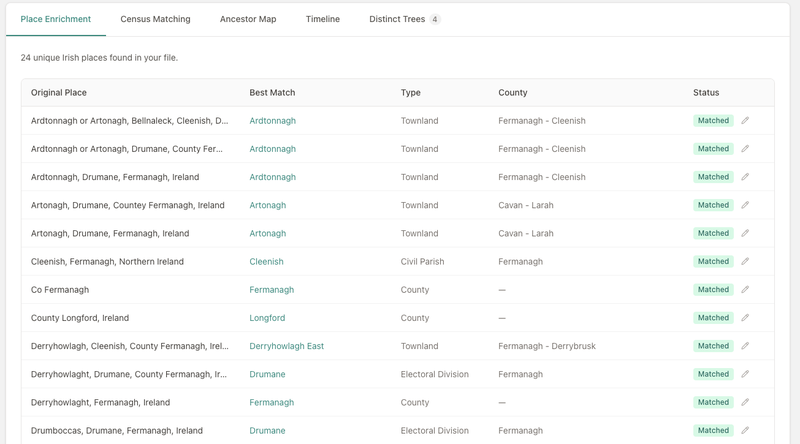
For the first time, every Irish place name in your family tree can be resolved to a real, structured geographic record — right in your browser.
Census Matching — Finding Your Ancestors in the Historical Record
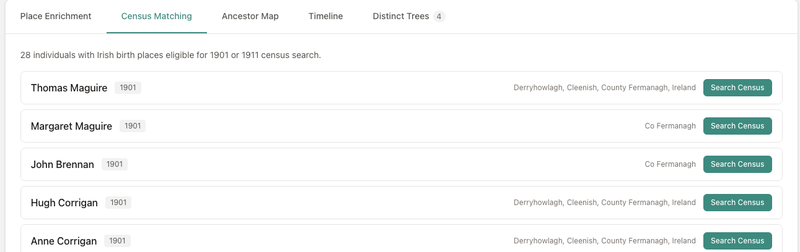
The Census Matching tab cross-references the individuals in your GEDCOM file against Irish census records and their surviving substitutes. Ireland lost most of its nineteenth-century census returns in the 1922 Public Record Office fire, but a wealth of alternative sources survive — Griffith’s Valuation, Tithe Applotment Books, the 1901 and 1911 census returns, and various church and estate records.
For each individual in your tree, the tool identifies potential census matches based on name, approximate birth year, and county. Results include direct links to the original records on the National Archives and other authoritative sources, so you can verify each match and add it to your research notes without leaving the page.
This is particularly valuable for researchers working on Irish lines who may not be familiar with which census resources exist for a given county or period.
Ancestor Map — Visualising Migration and Family Geography
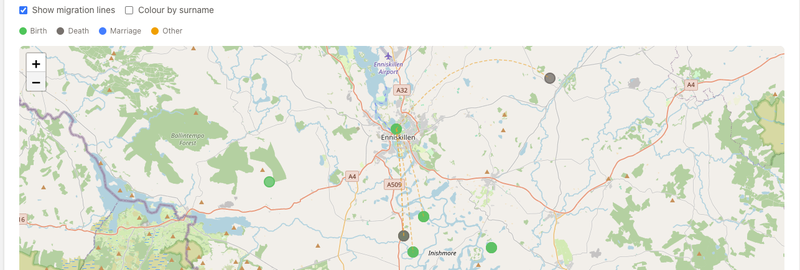
Perhaps the most striking feature of the suite is the Ancestor Map. Once place enrichment has been run, the map plots every individual in your tree who has a resolved Irish location — births, deaths, emigrations, and other life events — as an interactive marker on a map of Ireland.
Each marker is colour-coded by event type: green for births, grey for deaths, blue for emigrations, and amber for other events. Click any marker to see the individual’s name, the event, and the year. Zoom in to explore clusters, or zoom out to see the full geographic spread of your family across Ireland.
Migration Arcs
Toggle Show migration lines and the map draws a curved arc for each individual who has both a birth place and an emigration (or death) place. The arcs trace the path of movement across the map — from a townland in Fermanagh to a port in Cork, or from a parish in Mayo to a grave in Galway. For families with strong emigration patterns, the resulting map can be genuinely moving.
Colour by Surname
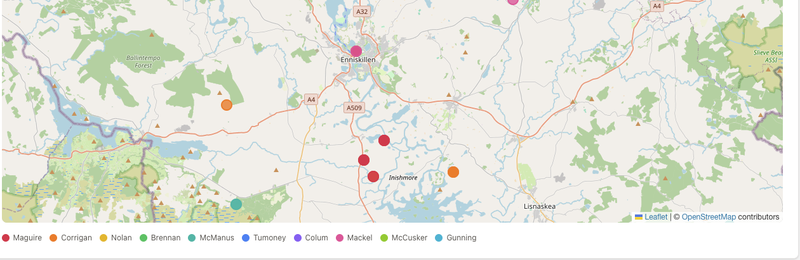
Switch to Colour by surname mode and each marker is recoloured by the individual’s surname. A legend below the map lists the top twelve surnames with their assigned colours. This makes it immediately clear whether your tree is geographically clustered by family line — a common pattern in Irish genealogy where specific surnames dominated particular townlands for generations.
Year Animation
The map can also be animated by year. Use the time slider to set a start year, or press Play to watch your ancestors’ events unfold chronologically — from the earliest recorded birth to the most recent event in the file. It is a compelling way to understand how your family moved through time and across Ireland.
Timeline — Your Family History in Chronological Order
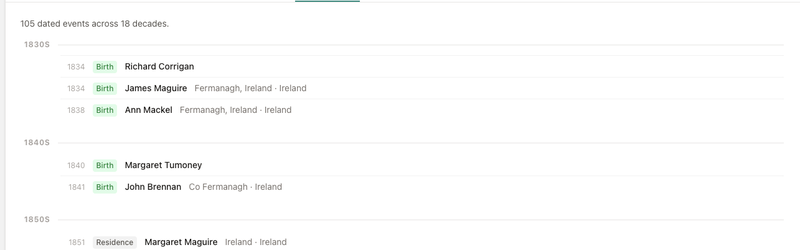
The Timeline tab takes every dated event in your GEDCOM file and arranges them in chronological order, grouped by decade. Births, marriages, deaths, emigrations, and other recorded events are listed with the individual’s name, the event type, the place, and the year.
Seeing a cluster of deaths in the 1840s immediately points toward the Famine. A wave of emigrations in the 1850s tells its own story. The timeline makes these patterns visible in a way that a family tree diagram does not.
Getting Started
The GEDCOM Tools Suite works with files exported from any major genealogy platform — Ancestry.com, FamilySearch, MyHeritage, Findmypast, MacFamilyTree, Gramps, and others. Most platforms have an Export to GEDCOM option in their settings or tree management area. Once you have your .ged file, head to app.irishroots.ie/gedcom-tools and drop it in.
The tools are free to use and require no account or registration. If there is a feature you would like to see, get in touch.